Table of Contents
ToggleIPTV Encoder Guide 2026 – Everything You Need to Know
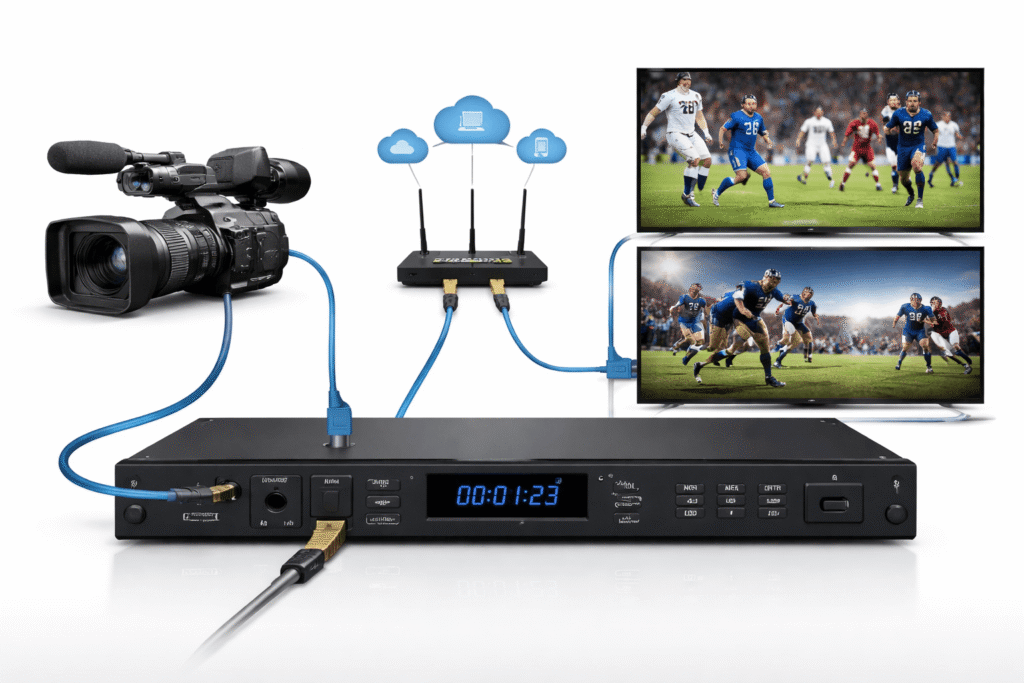
An iptv encoder is one of the most important tools behind legal IPTV streaming, live TV delivery, OTT platforms, hotel TV systems, education broadcasts, sports streaming, and private video networks. It converts video from a camera, satellite receiver, media player, or production system into a digital stream that can be delivered over the internet or a private IP network.
For beginners, IPTV buyers, and streaming business owners, understanding IPTV encoders helps you compare equipment, choose the right IPTV service, avoid bad purchases, and build a legal streaming setup that works reliably.
This guide explains IPTV encoders in simple terms.
What Is an IPTV Encoder?
An IPTV encoder is a hardware or software tool that converts video and audio into a format suitable for IPTV streaming.
Raw video is usually too large to send directly over the internet. The encoder compresses it using video compression standards such as H.264 or H.265. It then prepares the stream for delivery through IPTV, OTT, multicast, or live streaming platforms.
Common input sources include:
- Cameras
- HDMI devices
- SDI video systems
- Set-top receivers
- Media players
- Broadcast equipment
- Production switchers
Common output formats include:
- HLS
- RTMP
- SRT
- UDP
- RTP
- MPEG-TS
- Multicast streams
In simple words: an IPTV encoder turns video into a stream people can watch on TVs, apps, browsers, IPTV boxes, and other supported devices.
How IPTV Encoders Work
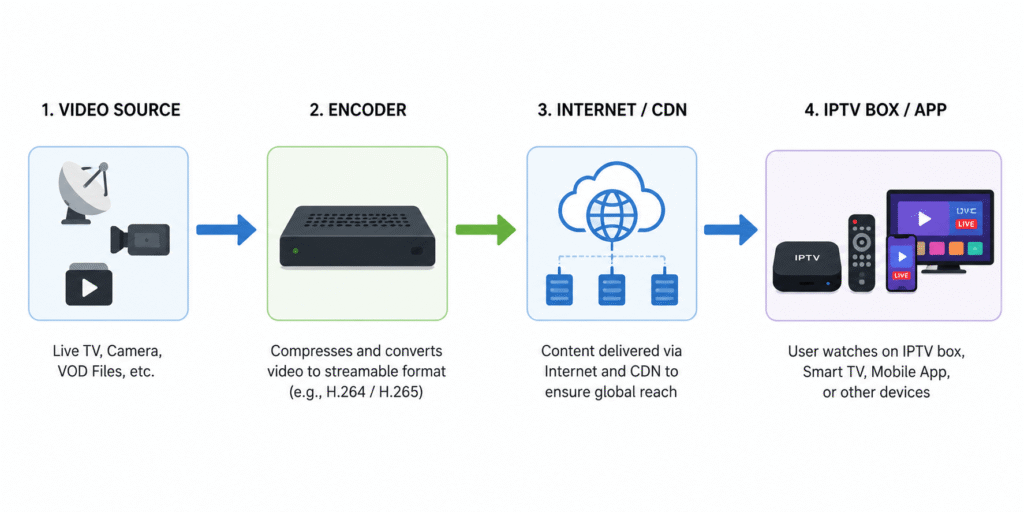
An IPTV encoder follows a simple process.
- Video Input
The encoder receives video from a source. This may come through HDMI, SDI, USB, IP camera feed, or another signal type.
- Video Encoding
The encoder compresses the video using codecs such as:
- H.264 for wide compatibility
- H.265 for better compression and efficient 4K streaming
- AAC for common audio encoding
Encoding reduces file size while keeping video quality acceptable.
- Bitrate Control
The encoder sets the bitrate, which controls how much data the video stream uses. Higher bitrate usually means better quality, but it also needs more bandwidth.
For IPTV streaming, bitrate must match the network capacity and viewer device support.
- Stream Packaging
The encoded video is packaged into streaming protocols such as HLS, RTMP, SRT, or MPEG-TS.
- Delivery
The stream is sent to an IPTV middleware platform, CDN, OTT platform, IPTV service provider system, or private network.
- Viewer Playback
Viewers watch the content through an IPTV box, smart TV app, mobile app, web player, or legal IPTV service platform.
IPTV Encoder vs IPTV Service vs IPTV Box
Many beginners confuse these terms.
An IPTV encoder creates the stream. It is used by broadcasters, businesses, schools, hotels, churches, sports venues, and IPTV service providers.
An IPTV service delivers TV channels, live streams, or video-on-demand through internet protocol. A legal IPTV service must have proper rights and licenses for the content it provides.
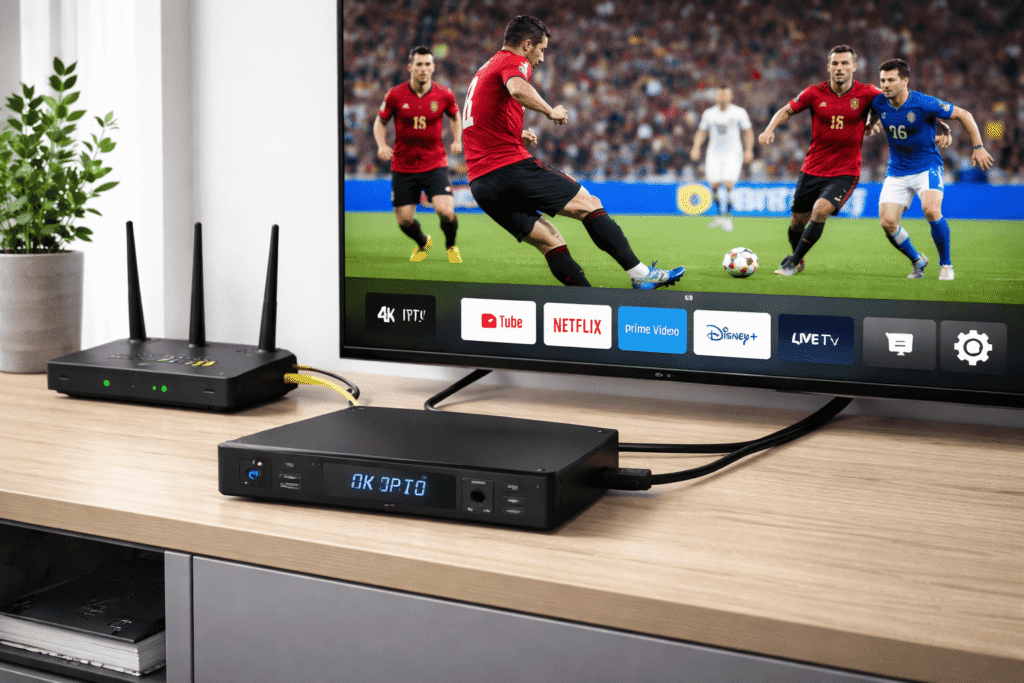
An IPTV box is a device used by viewers to watch IPTV content on a TV. It does not create the stream. It only receives and plays the content.
IPTV Encoder, IPTV Service, and IPTV Box Explained Simply
An IPTV encoder is for content creators and service operators.
An IPTV service is for delivering licensed content.
An IPTV box is for watching content.
Example:
A sports venue uses an IPTV encoder to stream a legal live match feed. The IPTV service platform manages access and delivery. The viewer watches through an IPTV box or app.
Main Types of IPTV Encoders
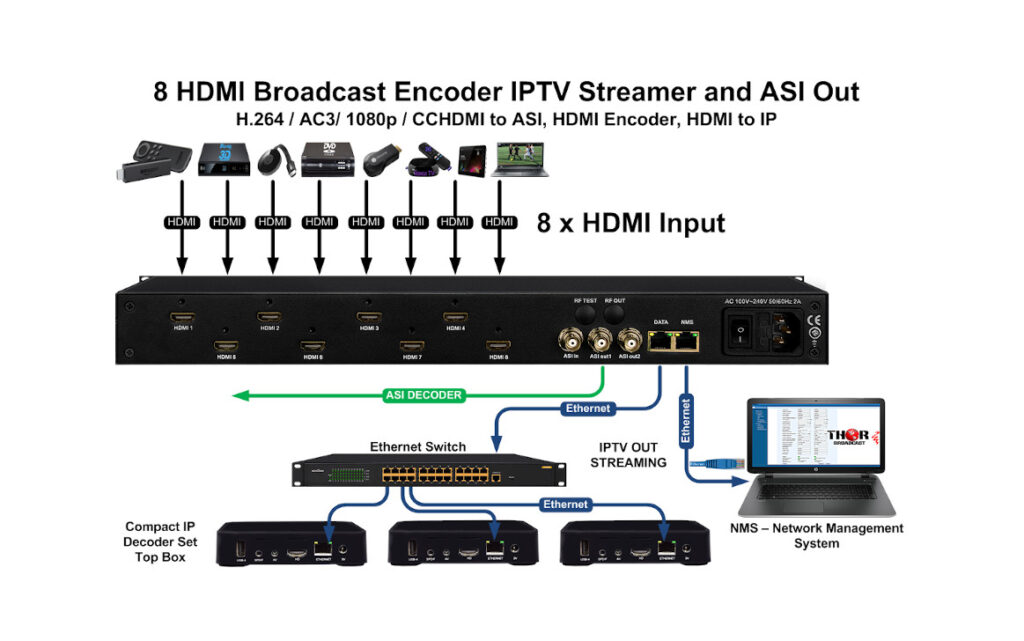
Hardware IPTV Encoders
A hardware IPTV encoder is a physical device built for video encoding.
Best for:
- Live events
- 24/7 streaming
- Hotels
- Hospitals
- Schools
- Houses of worship
- Broadcast systems
- Sports venues
Pros:
- Stable performance
- Lower latency
- Dedicated processing
- Good for long-term use
Cons:
- Higher upfront cost
- Less flexible than software
May need technical setup
Software IPTV Encoders
A software IPTV encoder runs on a computer or server.
Best for:
- OTT startups
- Small streaming teams
- Testing workflows
- Webinars
- Online education
- Flexible live streaming
Pros:
- Lower starting cost
- Easy to update
- Flexible settings
- Good for cloud workflows
Cons:
- Depends on computer power
- Can be less stable for 24/7 use
Needs good system maintenance
Cloud IPTV Encoders
Cloud encoders process video on remote servers.
Best for:
- OTT platforms
- Multi-region streaming
- Scalable IPTV service providers
- Businesses with changing viewer demand
Pros:
- Easy scaling
- No local hardware burden
- Good for remote teams
- Works well with CDN delivery
Cons:
- Ongoing cost
- Depends on internet connection
Less control over local infrastructure
HD IPTV Encoders
HD encoders support 720p or 1080p video.
Best for:
- Standard live TV
- Education
- Corporate streaming
- Internal IPTV networks
4K encoders support ultra-high-definition video.
Best for:
- Premium sports
- Events
- High-end OTT
- Large displays
- Professional streaming
Need strong bandwidth, efficient video compression, and device compatibility.
Key Features to Look for in an IPTV Encoder in 2026
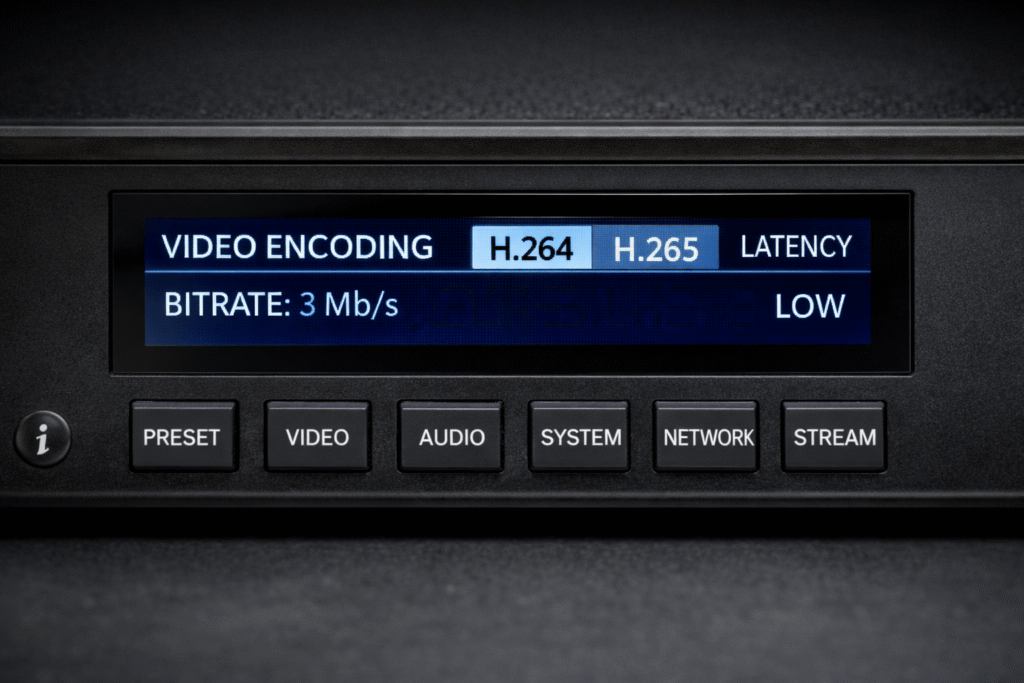
H.264 and H.265 Support
A good IPTV encoder should support both H.264 and H.265.
H.264 gives broad compatibility.
H.265 gives better compression, useful for 4K streaming and bandwidth savings.
Low Latency
Latency is the delay between the live event and viewer playback.
Low latency matters for:
- Sports
- Auctions
- Live classes
- News
- Interactive events
- Security monitoring
Bitrate Control
Look for constant bitrate and variable bitrate options.
Good bitrate control helps balance quality, stability, and bandwidth use.
Multiple Streaming Protocols
Useful protocol support includes:
- HLS
- RTMP
- SRT
- UDP
- RTP
- MPEG-TS
More protocol support gives more flexibility.
Multicast Support
Multicast is useful for private networks, hotels, campuses, hospitals, and enterprise IPTV systems.
It sends one stream to many viewers efficiently inside a managed network.
4K Streaming Support
For premium video, choose an encoder that supports 4K streaming, high bitrate, and modern compression.
Check device playback support before buying.
Audio Encoding Options
Look for AAC support and proper audio sync control.
Bad audio sync can ruin the viewing experience.
Remote Management
Remote management helps service providers monitor and adjust streams without being physically near the encoder.
Useful features include:
- Web dashboard
- User access control
- Stream status
- Reboot controls
- Firmware updates
- Error alerts
Redundancy Features
For professional IPTV streaming, redundancy matters.
Useful features include:
- Backup stream
- Dual network ports
- Failover support
- Auto reconnect
- Stream health monitoring
Security Features
Choose encoders that support secure streaming workflows.
Useful features include:
- Password protection
- HTTPS dashboard
- Secure protocol support
- Access control
- Firmware updates
Security matters more in 2026 because IPTV systems are often connected to public networks, cloud platforms, and business infrastructure.
How IPTV Encoders Help IPTV Service Providers
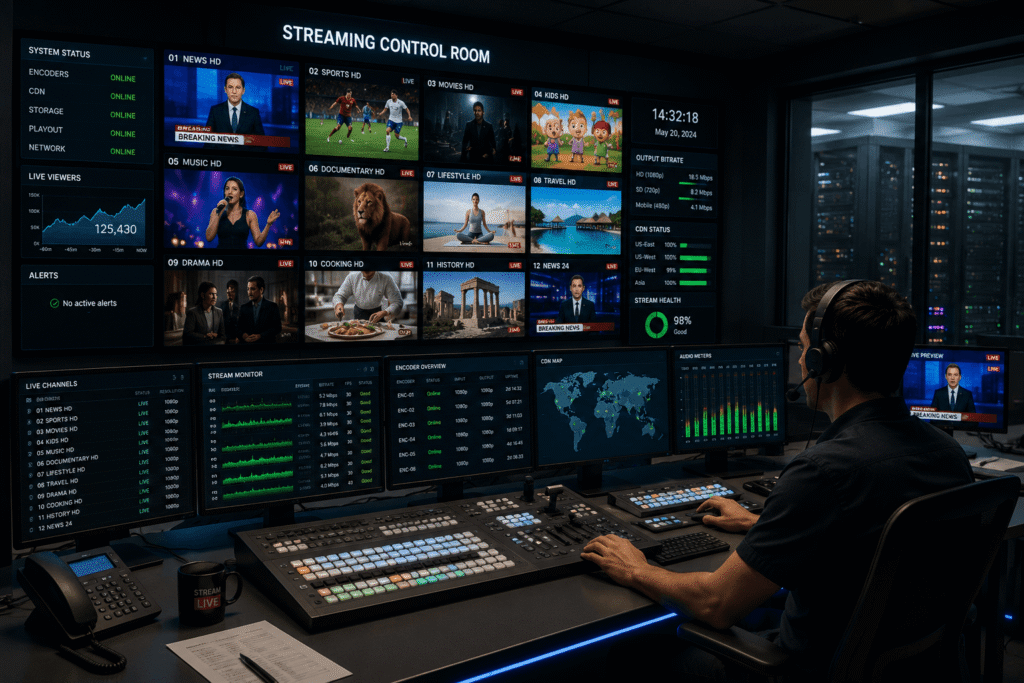
Legal IPTV service providers rely on encoders to deliver stable, high-quality streams.
An IPTV encoder helps providers:
- Convert live video into streamable format
- Reduce bandwidth use through video compression
- Support multiple devices
- Deliver live channels
- Manage IPTV streaming quality
- Support OTT and app-based viewing
- Improve uptime with reliable encoding
- Prepare streams for middleware and CDN delivery
For a licensed IPTV service, the encoder is part of the technical backbone. It does not replace content licensing, middleware, billing, viewer apps, or customer support.
A good encoder improves delivery quality.
A bad encoder causes buffering, poor image quality, audio sync issues, high latency, and viewer complaints.
IPTV Encoder Setup Basics
Step 1: Confirm Your Legal Use Case
Before buying equipment, confirm your content rights.
Legal use cases include:
- Streaming your own content
- Internal business IPTV
- Licensed TV distribution
- Education broadcasts
- Worship services
- Sports events with permission
- Hotel or hospital IPTV systems
- Corporate communication channels
Avoid unauthorized channel restreaming or piracy.
Step 2: Choose Input Type
Check your video source
Common input choices:
- HDMI
- SDI
- IP stream
- USB
- Composite for older systems
Professional setups often use SDI.
Consumer and small business setups often use HDMI.
Step 3: Choose Resolution
Pick the resolution based on your audience and bandwidth.
Common choices:
- 720p for low bandwidth
- 1080p for standard HD
- 4K for premium viewing
Step 4: Set Codec
Use H.264 for maximum compatibility.
Use H.265 when bandwidth efficiency matters and viewer devices support it.
Step 5: Set Bitrate
Match bitrate to resolution, motion level, and network speed.
Fast motion needs more bitrate.
Static lectures need less bitrate.
Step 6: Choose Streaming Protocol
Use the protocol required by your IPTV platform.
Common choices:
- HLS for broad device playback
- RTMP for platform ingest
- SRT for reliable contribution over unstable networks
- UDP or RTP for private IPTV networks
- Multicast for managed LAN delivery
Step 7: Test Before Launch
Test video quality, audio sync, latency, buffering, device compatibility, and backup workflows before going live.
Common IPTV Encoder Mistakes to Avoid
Buying Without Knowing the Input Type
Do not buy an HDMI encoder if your production system uses SDI.
Check before purchase.
Ignoring Legal Content Rights
An IPTV encoder is legal technology.
Illegal streaming is not.
Only stream content you own, create, license, or have permission to distribute.
Choosing 4K Without Enough Bandwidth
4K streaming needs strong upload speed, efficient compression, and compatible playback devices.
Do not choose 4K only because it sounds premium.
Using Too High a Bitrate
High bitrate can improve quality, but it can also cause buffering.
Balance quality with network reality.
Ignoring Latency
Some IPTV setups can have delays.
For live sports, auctions, and interactive events, latency must be tested early.
Forgetting Device Compatibility
Not every IPTV box, app, or smart TV supports every codec or protocol.
Test the full viewer path.
Skipping Redundancy
For business-critical IPTV streaming, backup matters.
One encoder, one internet line, and no failover is risky.
Buying Only on Price
Cheap encoders may work for basic use.
For professional IPTV service delivery, reliability matters more than saving a small amount upfront.
How to Choose the Best IPTV Service Legally
The best iptv service is not the one with the biggest channel list. It is the one that is legal, reliable, transparent, and suitable for your viewing needs.
Look for:
- Clear company information
- Licensed content access
- Transparent pricing
- Supported devices
- Stable IPTV streaming quality
- Customer support
- Refund or cancellation policy
- App compatibility
- Privacy and security practices
- No suspicious piracy claims
Avoid any IPTV service that promises huge premium channel bundles at unrealistic prices without explaining licensing.
A legal IPTV service should be clear about what it offers and how users can access it.
For buyers using an iptv box, make sure the service supports that device legally and safely.
IPTV Encoder vs IPTV Box Comparison Table
Feature | IPTV Encoder | IPTV Box |
Main purpose | Creates and sends IPTV streams | Receives and plays IPTV streams |
Used by | Broadcasters, businesses, IPTV service providers, schools, venues | Viewers and households |
Creates video stream | Yes | No |
Plays video stream | Usually no | Yes |
Supports encoding | Yes | No |
Common codecs | H.264, H.265 | Depends on device support |
Used for live streaming | Yes | Only for viewing |
Used for OTT delivery | Yes, as part of workflow | Yes, as playback device |
Handles bitrate settings | Yes | No |
Handles video compression | Yes | No |
Supports multicast | Often, depending on model | Sometimes, depending on app/network |
Best for | Content delivery and IPTV operations | Watching legal IPTV service content |
Buying focus | Inputs, codecs, latency, protocols, reliability | App support, playback quality, remote, interface |
Practical Buying Advice for IPTV Encoders
Before buying an IPTV encoder, answer these questions:
What content will you stream?
Live camera feed, TV channel, training video, worship service, sports event, or internal company broadcast.
Do you have legal rights?
Only stream content you own, license, or have permission to distribute.
What input do you need?
HDMI, SDI, IP, USB, or another source.
What quality do viewers expect?
Choose 720p, 1080p, or 4K based on real needs.
What bandwidth do you have?
Upload speed matters.
Private network capacity matters.
What devices will viewers use?
Smart TVs, mobile apps, browsers, IPTV boxes, or internal screens.
What platform will receive the stream?
Check protocol support before purchase.
Do you need 24/7 reliability?
For always-on channels, choose professional-grade hardware or a managed cloud workflow.
FAQ
IPTV means Internet Protocol Television. It’s like this: instead of your TV getting shows from a cable or satellite, it gets them from the internet. This has some perks. First, you can watch TV wherever you have internet. Second, the picture is often clearer because it’s not squished like with cable or satellite. Lastly, it can cost less because there are no monthly fees like with cable or satellite.
You will receive your login information in your Email as soon as possible after verifying your payment.
With our subs you can watch college football games on channels: Sky sport, BT Sport, supersports, Amazon Prime, TELEFOOT, RMC SPORT, BEIN SPORT, NBC, CBS, ABC, BTN, FOX, FS1, ESPN, and other channels…
Please pay attention that except MAG devices 1 subscription can be used on multiple devices but you can watch only on 1 device at the same time.
We believe in our products 100%, but we understand that our IPTV can’t work perfectly for everyone all the time, so we are more than happy to provide a refund. See our refund policy.
We will contact you by email to renew your subscription as soon as it is about to expire.
We usually process orders manually (because of security purposes). So please be Patient after payment. We will send your order details to your provided email address between 5 minutes to 6 hours. Please contact us if you haven’t received your order after 6 hours and check your inbox/spam/bulk folder first.
Buffering usually happens because of slow internet, Wi-Fi instability, or temporary server congestion. 4K STREAM IPTV uses global servers and advanced technology to reduce interruptions. For best results, ensure your connection is wired and consider using a VPN to enhance security and keep your identity hidden. If buffering continues, we’re always ready to help—or issue a refund, per our policy.
4K STREAM IPTV makes it simple to launch your own IPTV business as a reseller. You’ll get access to wholesale rates on xtreme HD, IPTV 4K, and a robust control panel. For maximum security, you and your customers can stream via VPN.
Conclusion
An iptv encoder is the engine behind legal IPTV streaming. It takes raw video, compresses it with technologies like H.264 or H.265, controls bitrate and latency, then sends the stream to an IPTV service, OTT platform, private network, or live streaming system.
For viewers, the IPTV box matters.
For providers, the IPTV encoder matters.
For everyone, legal content rights matter most.
Choose equipment based on your real use case, not hype. Check inputs, codecs, bitrate control, latency, protocols, multicast support, 4K streaming needs, and device compatibility before buying.
Need next step? Compare your source, platform, bandwidth, and legal content rights. Then choose encoder setup that fits your IPTV streaming goal.